

Translation of shift key from English into Dutch
Noun
technology
key on a keyboard for capital letters- Press the shift key to type a capital letter.Druk op de shifttoets om een hoofdletter te typen.
alternate functions
key to access alternate functions of keys- Hold the shift key to use the alternate symbols.Houd de shifttoets ingedrukt om de alternatieve symbolen te gebruiken.
Images of shift key
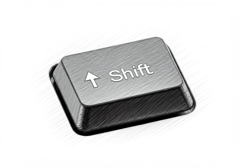
(technology) shifttoets 
(alternate functions) shifttoets
Synonyms and analogies of shift key in English
Examples of shift key in a sentence
The shift key is stuck on my keyboard. Press the shift key to capitalize letters. The shift key is essential for typing symbols.
Translations of "shift key" in Context ordered by category and frequency
You can select multiple layers by holding down the shift key while clicking.
Je kunt meerdere lagen selecteren door de Shift toets in te drukken tijdens het klikken.
When you press down the shift key, the pointer of your mouse turns into a cross
Op het moment dat u de Shift toets van het toetsenbord indrukt, verandert de muiswijzer in een kruis
The Shift key is now inactive.
De toets Shift is nu inactief.
Tap and hold or double-tap the SHIFT key.
Tik op de toets SHIFT en houd deze vast.
Hold down the shift key while you click the bookmarks.
Houd de Shift-toets ingedrukt terwijl u op de bladwijzers klikt.
To force the bet on, hold down the shift key and click directly on the bet.
Om de inzet op te dringen, houdt u de Shift-toets ingedrukt en klik direct op de inzet.
Other translations for shift key:
- Shift ingedrukt
shift key: Examples and translations in context
Hold the shift key down while resizing to ignore the default aspect ratio.
Hou de shift toets ingedrukt om de standaard hoogte/breedte verhouding te negeren.
You can preserve the aspect ratio by holding down the shift key while resizing your selection.
Je kunt de aspect ratio bewaren door op de shift toets te drukken terwijl je de selectie schaalt.
Fine grained scrolling when dragging the scroll bar handle, or scrolling while holding the shift key.
Fijnkorrelig scrollen bij het verslepen van de scrollbalkhandel of scrollen met ingeduwde shift toets.
Set your foreground color to #ffffff, hold down your shift key and draw short horizontal and vertical lines, like this
Zet je voorgrondkleur op #ffffff, houd de shift toets ingedrukt en maak kleine verticale en horizontale streepjes zoals in dit voorbeeld
Select the first slide of the series, keep the shift key pressed, and then select the last slide.
Selecteer de 1ste slide van de reeks, houdt de shift toets in, en selecteer dan de laatste slide.
Click to select an item, then hold the shift key and click another item.
Klik om een artikel te selecteren en houd vervolgens de toets shift ingedrukt terwijl u op een ander artikel klikt.
Hold down the shift key while typing numbers to get the symbols on top.
Houd de shift-toets ingedrukt terwijl je cijfers typt om de tekens erboven te krijgen.
Hold down the shift key while drawing.
Houd de shift-toets ingedrukt terwijl je tekent.
See also: